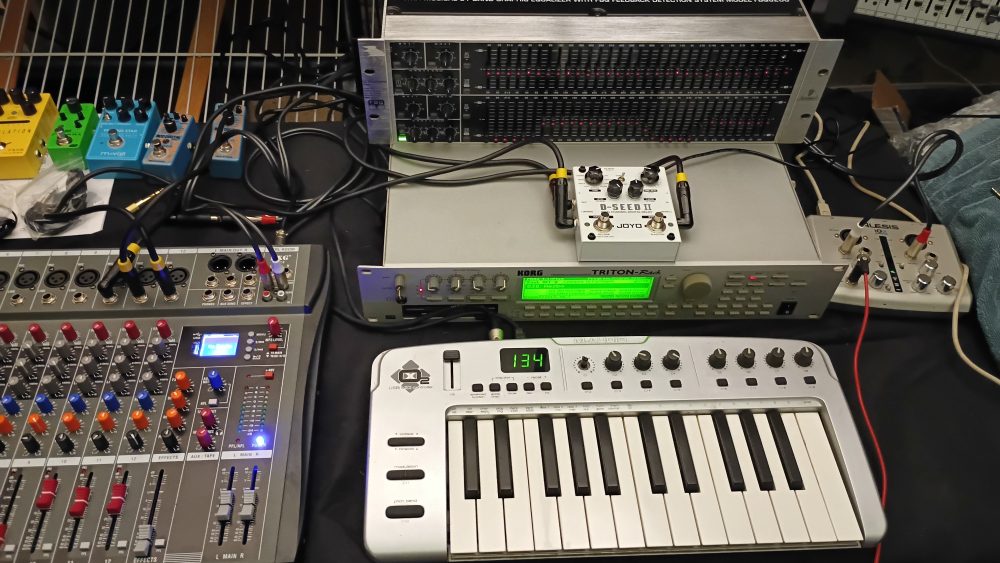
Continuing from my frequency splitting into audio effects from yesterday, today I did things a bit different. This time I again had two identical signals coming from my Korg Triton-Rack synthesizer, this time only going into one of the Behringer FBQ6200 equalizer channels. The other channel went straight to my NXG GX12 mixer where I center panned it. On the equalizer I adjusted all mid-range, 1-4KHz to minimum as this is an area that can result in ear fatigue. I also lowered frequencies below 80Hz to avoid effect muddiness.
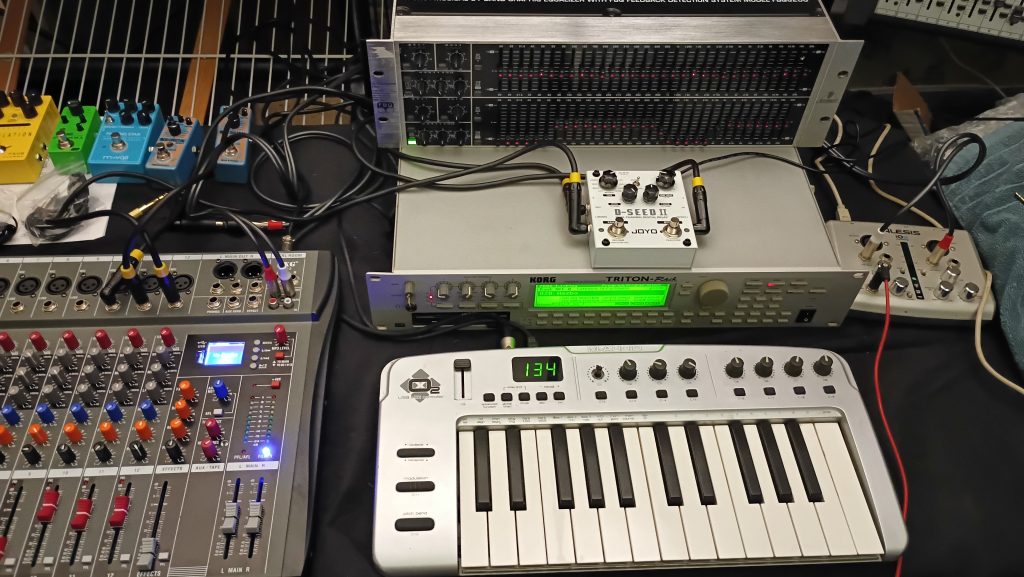
I then sent the equalized channel, mono signal into my Joyo D-Seed II delay which were set to a clean “Copy” (Digital) type delay mode, an enabled the pingpong switch. This then resulted in a nice stereo signal with I routed to separate channels on my mixer, one panned hard left, the other right.
In my Youtube video you can hear the difference in sound, as I’m demonstrating various Triton patches, between no delay effect, and then three different versions with delay, one not frequency adjusted (equalized), one adjusted 6dB, and the final adjusted 12dB down. Personally, I like that last version the best, but check out the video and see what you think.
Again splitting a signal from a synthesizer, guitar, or other electronic instrument and then routing through an equalizer to separate one or more areas, and endless effect options, there is quite a bit of sound possibilities!
Product Availability
Behringer FBQ3120 / FBQ6200 31-Band Two-Channel Equalizer
Joyo D-Seed II Multi-Variation Stereo Delay
Korg Triton-Rack
NXG GX12 Mixer